I published a bond modeling tool to this website a few months ago. It was a project meant to help me get my Python skills back up to standard via an application I was very familiar with doing in Excel. The code was functional, but it had the hallmarks of a Python beginner - poor variable names, confusing organization, and little documentation.
Since then I’ve taken several months of Python classes at Carnegie-Mellon as part of my Master’s program and have gotten much better with the language. I thought it’d be fun to look back at the code I was writing before this experience and see how much better I could do it today.
The Changes
File Organization
The bond model app is pretty simple, so it lives in just one file. There’s three basic parts:
- The function definitions that do the work of calculating the bond model.
- The
streamlitfunction which builds the GUI elements and calls the workhorse functions on the user’s inputs. - A few lines at the end which call the streamlit functions. This is necessary to generate the webpage where the GUI lives.
I already basically had the file organized like this, but when I opened it up for the first time in months I was greeted by a bunch of undocumented functions with no clear organization. To fix this, I didn’t actually need to make any changes - I just added block comments to demarcate the three main sections of code:

Documentation
The next step to make coming back to this code less daunting in the future was actually documenting it. We spent a lot of time on this in class when we were working on our final projects, where we were expected to write some functions based on the provided docstrings and to write our own docstrings for any new functions. In my old code, I did sometimes take notes on what the function arguments were:

Properly formatted docstrings stand out better and give me helpful pop-ups in PyCharm:
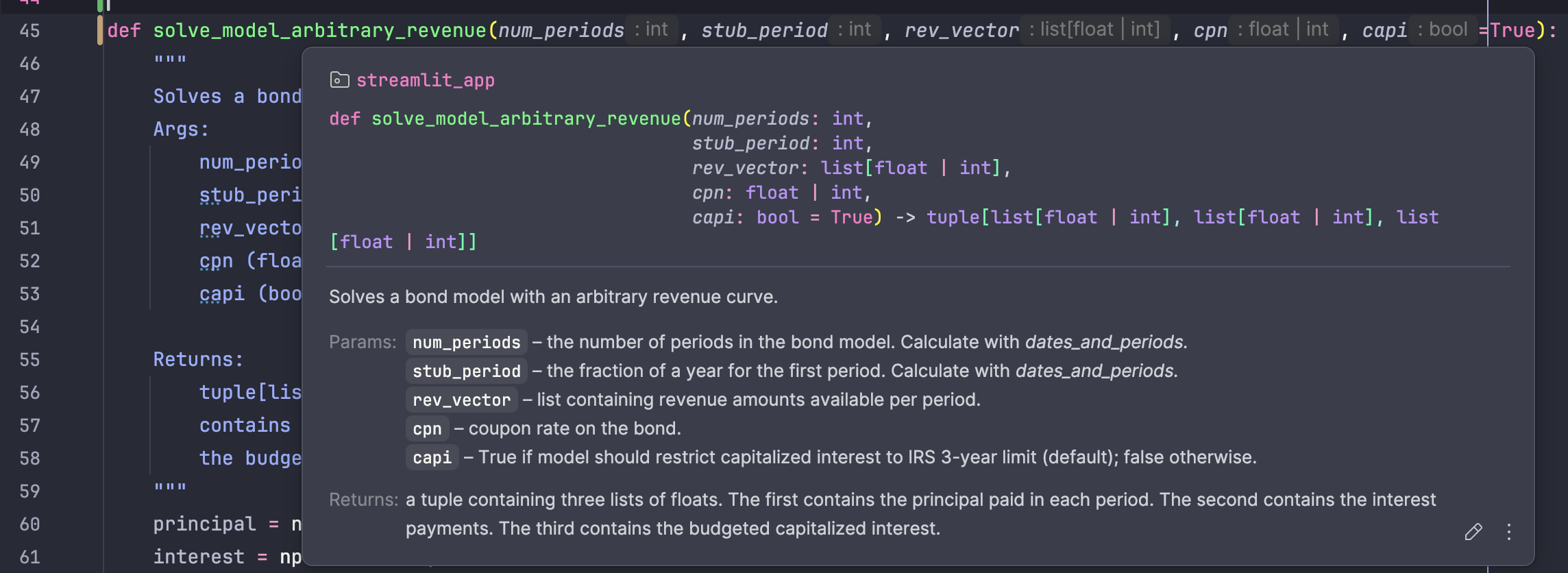
When I was working on that project, I became pretty annoyed at how Python handles types. It was easy to lose track of what all the arguments were once I had a lot of the code written, especially when I was defining my own classes. That’s not such a big deal here, where everything is pretty much either a float or a list of floats and it’s pretty obvious what’s what. Still, I want to be in the habit of putting type hints in the docstrings to help myself out on larger projects.
Variable Naming Conventions
This was the single biggest deficiency in my old code. the snippet of
solve_model_arbitrary_revenue above is pretty representative: it doesn’t take
a CMU CS degree to know having r and R as two arguments to the same
function is bad practice. Here’s a side-by-side of a less egregious example:
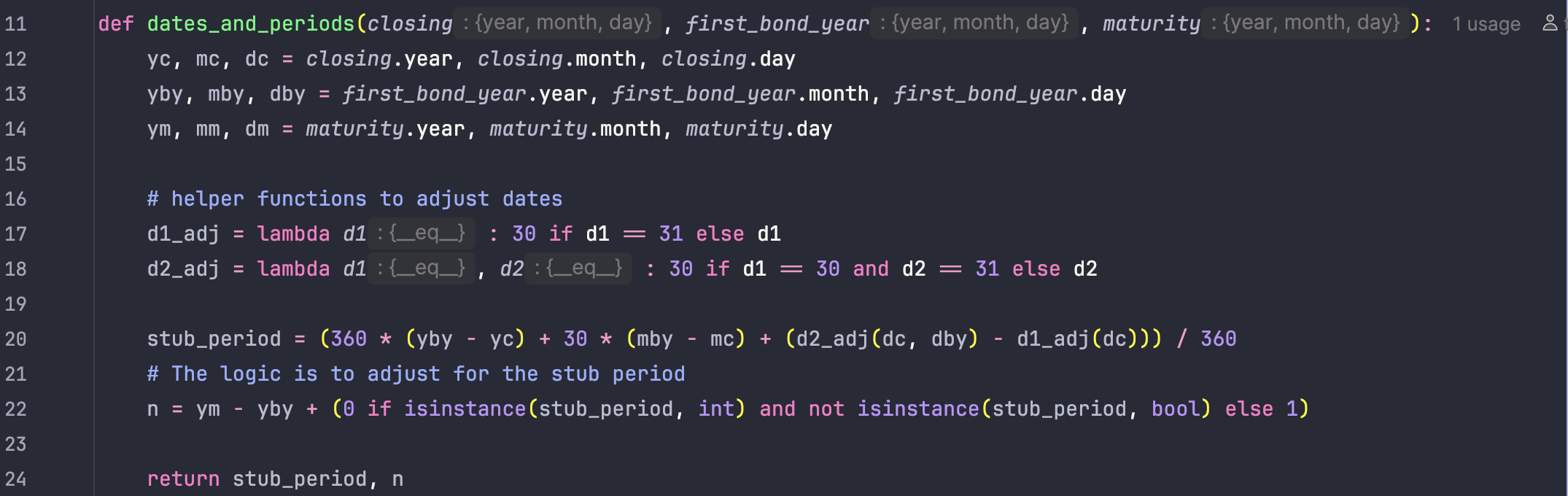
old version...
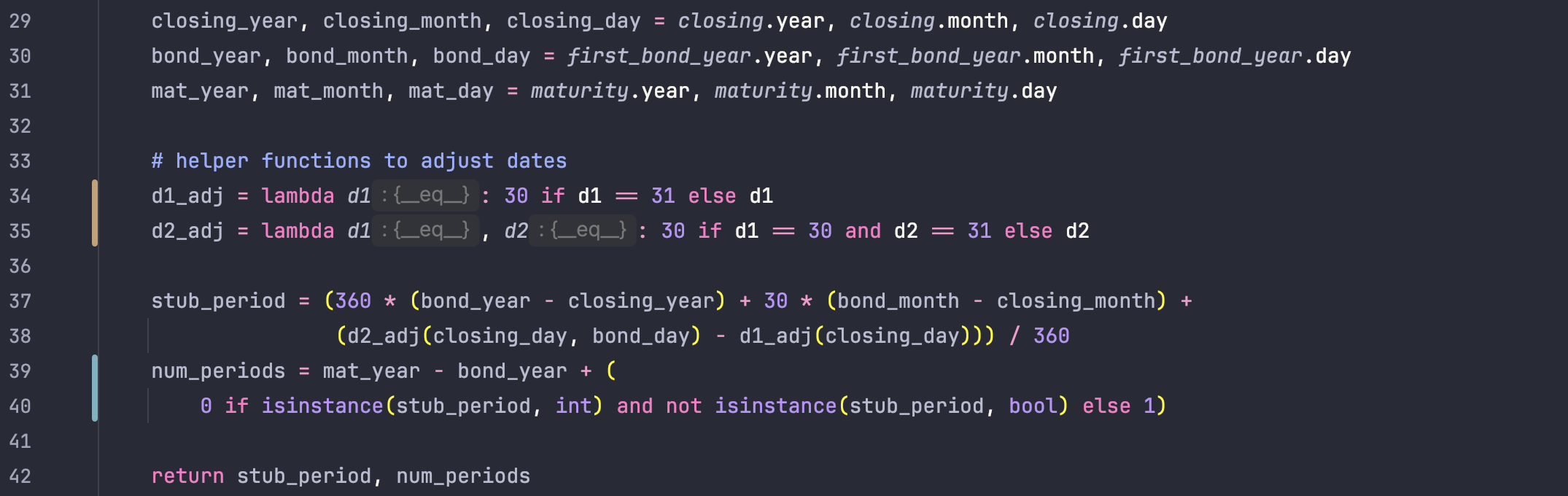
... and new version.
Actual Code Fixes
There was one main example of “bad code” in my previous version: a convoluted loop definition used to solve for the principal and interest payments.

Yeah, me neither. Jokes aside, looping forward from i=0, 1, 2, … and then
indexing into the lists like [-i-2] was a confusing way to do it when Python
has an elegant solution for looping backwards through a range:

Between the better variable names and the simpler indexing, I think this new version is significantly easier to read and debug.
I also updated my bond price calculation to use semiannual compounding instead of annual compounding. That’s the standard convention in the muni market, though it doesn’t make an enormous difference in the final numbers. Again, between all the small improvements (variable naming, documentation, consistent spacing with the arithmetic operators) the new version is much better.

old version...
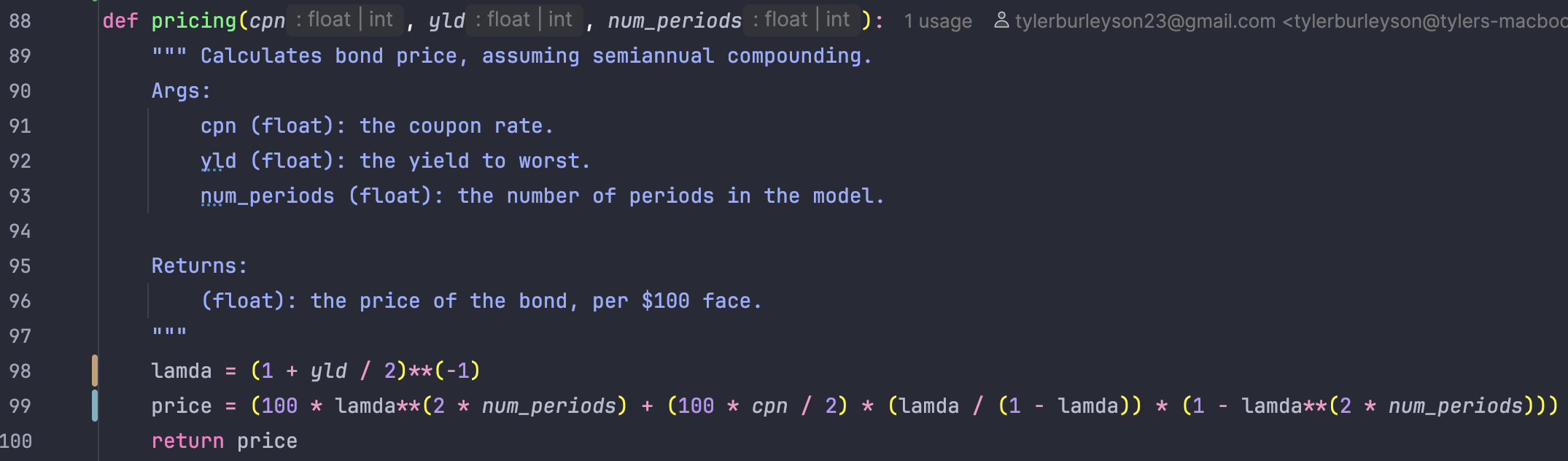
... and new version.
Lastly, I reformatted the GUI to put the sources and uses table above the debt service table instead of having them side by side. This prevents the column headers from wrapping strangely when viewed on a narrower screen like a phone or tablet. You can see the updated version by clicking on Projects in the top bar of this website.
Summary
Overall, my old code was better than I had expected it to be. The style wasn’t too horrible, it was just poorly organized and documented. Going back over an old project like this was a good exercise in cementing the value of what I’ve learned about writing clean code. I’m about to get back into my second mini-semester of classes, but once I have time over winter break I’m planning on making further improvements to this modeling tool. When I do, I’m sure I’ll be glad I took the time to pretty it up.